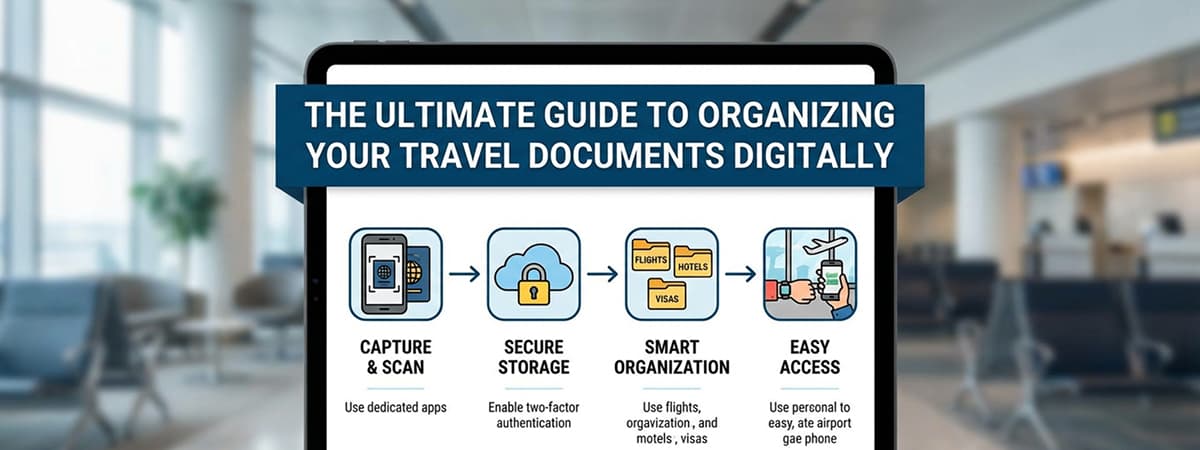
The Ultimate Guide to Organizing Your Travel Documents Digitally
Post Summary: Learn how to eliminate travel anxiety by creating a centralized digital document system. This guide covers everything from checklist creation to secure offline access, ensuring you never face a check-in crisis.
Last week at the airport, we witnessed a scene that stayed with us: an elderly couple in total distress at the check-in counter. They had been asked for their travel insurance documents, but they were nowhere to be found. They frantically cycled through emails and WhatsApp chats while the line grew longer and their panic intensified.
While the airport staff eventually helped them recover their files, the situation highlighted a universal truth for travelers: being disorganized costs more than just time—it costs your peace of mind. As travel bloggers, we want to help you avoid this. The fix is simple: Organizing all your travel essentials in one digital place.
The Power of Going Digital
If you’re wondering why you should move away from paper or scattered emails, consider these benefits:
- Instant Retrieval: No more scrolling through hundreds of messages while an agent waits.
- Reliable Backups: Protect your information even if physical documents are lost or stolen.
- Offline Readiness: Access your data in basements, planes, or remote borders without Wi-Fi.
- Stress Reduction: Start your journey with the confidence that you have everything you need.
5 Steps to Master Your Travel Documentation
Step 1: Create a Master Checklist
Preparation is the foundation of a smooth trip. Before you start digitizing, know exactly what needs to be in your folder. Your checklist should include:
- Passport ID pages and valid Visas
- Flight tickets and digital boarding passes
- Travel insurance policies and emergency contact info
- Hotel, Airbnb, or car rental confirmations
- Vaccination records or medical certificates
- International Driver’s License and secondary IDs
Step 2: Centralize Your Digital Files
Most of our documents are scattered across various platforms. Hunt down every PDF and confirmation from your inbox and move them into a single “Travel” folder. We recommend mirroring this folder: save one copy on your device’s local storage and another on a secure cloud service like Google Drive or OneDrive.
Step 3: Capture High-Quality Scans
For documents that only exist in paper form, your smartphone is your best tool. To ensure the scans are usable by authorities:
- Place the document on a flat, dark surface for contrast.
- Use natural light to avoid harsh shadows.
- Turn off the flash to prevent glare on laminated surfaces like passports.
Step 4: Consolidate Into Unified Documents
Instead of having fifty separate image files, use a converter to merge related photos into a single PDF or Word document. For example, keep all “Insurance Details” in one file rather than five separate images. Clearly label your files (e.g., “Summer_Trip_Insurance_2024.pdf”) for lightning-fast searching.
Step 5: Prioritize Data Security
Since travel documents contain sensitive personal info, security is paramount. Follow these protocols:
- Enable 2FA: Use Two-Factor Authentication for your cloud accounts.
- Encryption: Password-protect highly sensitive files like passport copies.
- Offline Mode: In your cloud app settings, mark your travel folder as “Available Offline.”
- Private Sharing: Never use public links; share files only with trusted travel companions via specific email permissions.